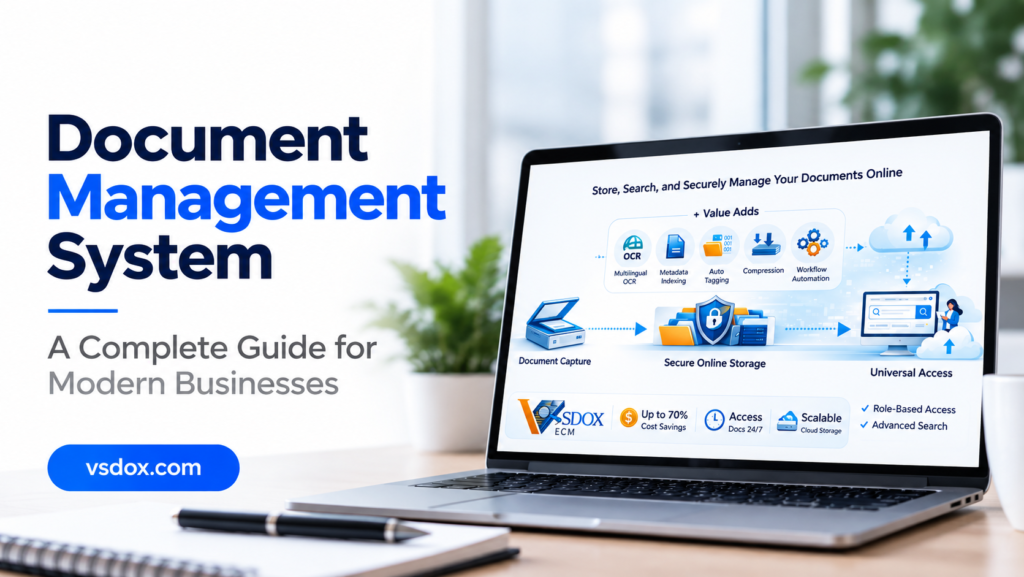

A document management system is built from several distinct technical layers working together, and understanding that architecture—not just the marketing definition—is what actually helps you evaluate whether a given platform can handle your organization’s real document volume and compliance requirements. Most buyer-facing explanations stop at “it stores and organizes your documents,” which is true but tells you almost nothing about how two platforms claiming the same thing can perform completely differently in practice.
Why Architecture Matters More Than a Feature List
Nearly every document management platform on the market describes itself with the same handful of words: secure, scalable, enterprise-grade, cloud-native. Those words are true of almost every serious platform and false of almost none, which means they carry very little evaluative weight on their own. What actually differs between platforms is how each architectural layer is implemented underneath that language—how search is indexed, how permissions are enforced, how audit logs are structured, and how the system behaves once document volume moves from hundreds to hundreds of thousands. A technical evaluation needs to look underneath the marketing layer to the architecture itself.
This distinction becomes especially visible during a proof-of-concept trial. Two platforms that both technically “have” role-based access control can behave very differently once you configure a permission structure that mirrors your organization’s real reporting lines. One might handle it in a few clicks; the other might require raising a support ticket for anything beyond a simple department-level split. That gap almost never shows up on a feature comparison page, only in hands-on testing against the architecture itself.
The Seven Core Layers of a Document Management System
1. Capture Layer
This is the entry point for documents into the system: direct upload, email-to-repository ingestion, scanned paper processed through OCR, or API-based intake from another business system. The technical question worth asking is how much manual metadata entry is required at the point of capture, since a capture layer that forces users to manually tag every field creates friction that quietly undermines adoption over time.
2. Repository and Storage Layer
The underlying storage architecture determines how documents are physically held—typically object storage for the files themselves, separated from a structured database that holds metadata and relationships between documents. This separation matters technically because it allows the system to scale storage and search independently, rather than search performance degrading as raw file volume grows.
3. Indexing and Metadata Layer
This layer makes a document findable without anyone needing to remember an exact filename or folder path. A well-architected indexing layer supports both full-text search (indexing the actual content of a document) and structured metadata search (department, document type, date, custom fields) simultaneously, with new documents indexed near-instantly rather than on a batch delay that leaves recently uploaded files temporarily unsearchable.
4. Access Control and Security Layer
This layer enforces who can view, edit, approve, or delete a given document, typically through role-based access control scoped down to the individual document or folder level, not just a broad department-wide setting. This should be enforced consistently across every access path—the web interface, any API, and any integration—rather than only at manual login. A security model with a gap in any single access path is only as strong as its weakest point.
5. Workflow and Automation Layer
This is the rules engine that moves a document through a defined sequence of steps—draft, review, approval, archival—tracking who has acted at each stage and enforcing that required steps cannot be skipped. More flexible implementations expose this as a configurable rules engine accessible to business administrators, rather than logic hard-coded into the application that requires a developer to change.
6. Audit and Compliance Layer
This layer logs actions taken on a document—views, edits, downloads, approvals, deletions—in a way that is immutable and exportable for external audit purposes. A technically sound implementation logs individual actions rather than just high-level events and retains logs according to a configurable retention policy that can be set independently from the document’s own retention schedule. Audit-log retention and document retention are often governed by different regulatory requirements.
7. Integration Layer
Very few document management systems operate in isolation. This layer determines how the platform connects to ERP, CRM, HR, and email systems already in use. A platform offering only a handful of prebuilt, rigid integrations behaves very differently from one exposing an open API that lets a technical team build custom connections as needs change.
How These Layers Work Together in a Real Document Lifecycle
Take an incoming vendor invoice as a concrete example. It enters through the capture layer, either uploaded directly or forwarded by email, and OCR extracts the text if it arrived as a scanned image. The indexing layer immediately makes it searchable and applies metadata—vendor name, amount, date—either manually or through AI-assisted extraction. The workflow layer routes it to the appropriate approver based on configured rules, potentially escalating automatically if it sits too long. Every step is logged by the audit layer. Once approved, the integration layer can push the approved invoice data directly into the finance system, closing the loop without anyone manually re-entering data.
A gap or weakness in any single layer—slow indexing, rigid workflow rules, a shallow integration—creates friction at that specific point in the process. That is why evaluating the full architecture matters more than checking whether each layer merely exists.
What to Check Technically Before Choosing a Platform
Beyond a product demo, ask specific technical questions: What search technology powers the indexing layer, and how does search performance hold up at high document volume, not just in a small demo dataset? Is access control enforced identically across the web interface, mobile app, and API, or only at the primary login point? Can workflow rules be modified by a business administrator, or does every change require a support ticket or developer time? What format are audit logs exported in, and can retention periods for those logs be configured independently of document retention? Is the integration layer a documented, open API, or a closed set of prebuilt connectors with no path to extend them?
Push for concrete answers rather than accepting a general “yes, we support that.” Ask to see the actual admin interface for workflow configuration during a demo, or request a sample audit log export, rather than taking the capability on faith. The gap between a feature technically existing and a feature working well in practice is exactly where most platform disappointments happen after a contract is already signed.
How VSDox Implements This Architecture
VSDox is built across all seven of these layers, with an emphasis on making workflow, access control, and audit layers configurable directly by business teams rather than requiring developer involvement for routine changes. Its capture layer includes OCR-based scanning with AI-assisted metadata extraction; its indexing layer supports near-instant full-text and metadata search; and its integration layer is built around an open API designed to connect with existing ERP, HR, and email systems used by regulated Indian sector organizations in BFSI, government, judiciary, and healthcare.
For technical evaluators, the audit and access-control layers are worth examining closely: VSDox logs individual document actions (not just high-level events) and supports retention policies configured independently for audit logs versus the underlying documents—a level of separation that matters for organizations operating under distinct regulatory requirements for each.
Explore VSDox’s document management software platform, or browse more document management software insights.