
Quick Answer
Document management software is a system that helps businesses digitally capture, organize, store, and retrieve documents instead of relying on paper files or scattered folders. It typically includes search, version control, and access permissions to keep information secure and easy to find.
Introduction
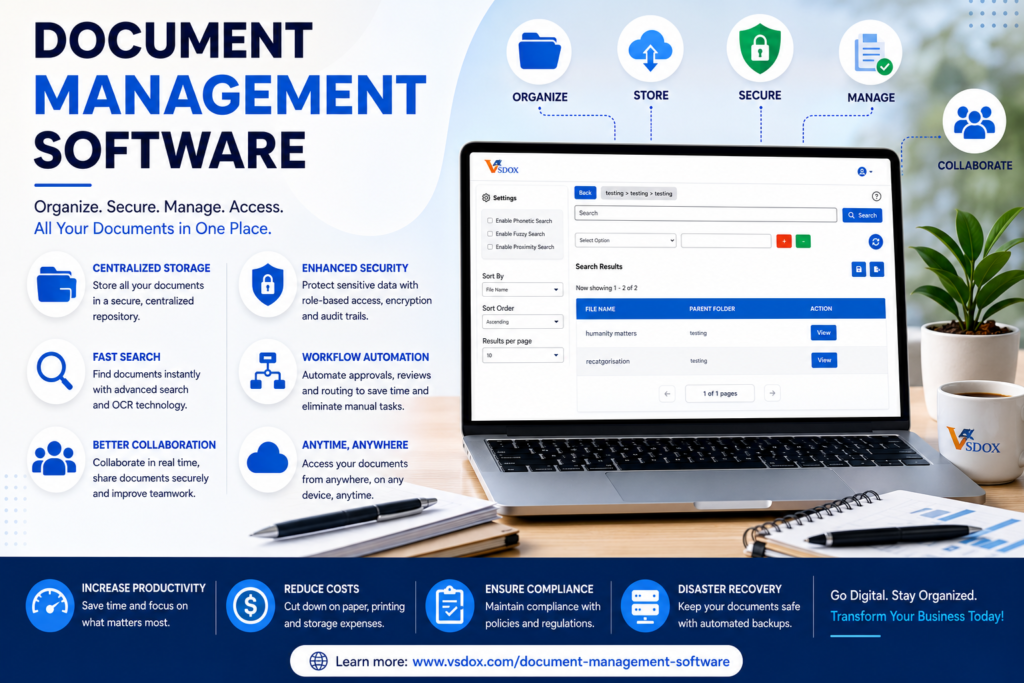
In today’s digital-first business environment, organizations generate and manage thousands of documents every day. Contracts, invoices, employee records, customer files, compliance reports, and operational documents all play a crucial role in keeping businesses running smoothly. However, managing these documents efficiently can become a challenge as companies grow.
Many organizations still rely on shared drives, email attachments, or paper-based filing systems, which often lead to lost documents, version control issues, security risks, and inefficient workflows. This is where a Document Management System (DMS) becomes essential.
A Document Management Software solution helps businesses centralize, organize, secure, and retrieve documents efficiently. Beyond simple storage, modern document management platforms automate workflows, improve collaboration, strengthen compliance, and support digital transformation initiatives.
In this guide, we’ll explore everything you need to know about Document Management Systems, their benefits, key features, and how solutions like VsDox help organizations gain better control over business information.
What is a Document Management System?
A Document Management System (DMS) is software designed to store, organize, manage, track, and secure digital documents throughout their lifecycle.
Instead of storing files across multiple locations, a DMS creates a centralized repository where employees can access documents securely and efficiently. It ensures that the right people have access to the right information while maintaining complete visibility and control.
Modern Document Management Software helps organizations:
- Store documents securely
- Organize information efficiently
- Manage document versions
- Automate workflows
- Improve collaboration
- Strengthen compliance
- Reduce paper dependency
By creating a single source of truth for business information, a DMS enables organizations to improve productivity and operational efficiency.
Why Traditional Document Management Methods No Longer Work
Many businesses continue to rely on outdated methods such as filing cabinets, network folders, and email attachments. While these approaches may work initially, they become increasingly difficult to manage as document volumes grow.
Common challenges include:
Lost or Misplaced Documents
Employees often spend valuable time searching for files stored in multiple locations.
Version Control Problems
Teams may accidentally work on outdated versions of documents, leading to errors and duplication.
Security Risks
Sensitive business information can be exposed when access controls are limited.
Compliance Challenges
Without proper tracking and governance, maintaining regulatory compliance becomes difficult.
Slow Approval Processes
Manual document routing often creates delays in reviews and approvals.
These inefficiencies impact productivity, customer service, and overall business performance.
Key Features of Modern Document Management Software
A modern Document Management System provides far more than document storage.
Centralized Document Repository
All business documents are stored in a secure, centralized location that serves as the organization’s single source of truth.
Advanced Search Capabilities
Users can quickly find documents using:
- Keywords
- Metadata
- Tags
- Categories
- Full-text search
Version Control
Version management ensures employees always work with the latest document while maintaining access to previous versions when needed.
Workflow Automation
Automated workflows streamline processes such as:
- Document approvals
- Contract reviews
- Invoice processing
- Employee onboarding
Access Control and Security
Role-based permissions help organizations control who can view, edit, share, or approve documents.
Audit Trails
Every document activity is recorded, providing complete visibility and accountability.
Mobile Accessibility
Employees can securely access documents from any device, supporting remote and hybrid work environments.
Benefits of Using a Document Management System
Implementing a Document Management System provides significant advantages for businesses of all sizes.
Increased Productivity
Employees spend less time searching for information and more time focusing on strategic work.
Improved Collaboration
Teams can collaborate on documents more effectively while maintaining version accuracy.
Enhanced Security
Document Management Software protects sensitive information through encryption, permissions, and audit tracking.
Reduced Operational Costs
Organizations can lower expenses related to:
- Paper storage
- Printing
- Administrative work
- Physical document management
Faster Decision-Making
Quick access to accurate information enables faster business decisions.
Better Customer Experience
Employees can respond more quickly to customer requests when information is readily available.
Understanding the Document Lifecycle
Effective document management involves controlling documents throughout their entire lifecycle.
Creation
Documents are created internally or received from external sources.
Capture
Files are imported into the system through uploads, scanning, email integration, or automated workflows.
Classification
Documents are organized using metadata and categories.
Storage
Files are stored securely within the repository.
Collaboration
Teams review, edit, approve, and share documents.
Retention
Documents are retained according to organizational policies and compliance requirements.
Archiving and Disposal
Older records are archived or securely deleted when retention periods expire.
Managing the entire lifecycle helps organizations improve efficiency and reduce risk.
The Role of Document Management in Digital Transformation
Digital transformation is changing how businesses operate. Organizations are increasingly replacing manual processes with digital workflows to improve productivity and agility.
A Document Management System serves as a foundation for digital transformation by:
- Eliminating paper-based processes
- Improving information accessibility
- Automating repetitive tasks
- Supporting remote work
- Enhancing collaboration
By digitizing document-intensive workflows, businesses can operate more efficiently and respond faster to changing market demands.
Why Businesses Choose VsDox
As organizations modernize their document management processes, they need a solution that combines security, automation, compliance, and scalability.
VsDox helps businesses manage the complete document lifecycle through a centralized platform designed to improve operational efficiency and information governance.
Centralized Information Management
VsDox provides a secure repository where organizations can store, organize, and manage business-critical documents.
Workflow Automation
The platform automates approvals, reviews, and document routing, reducing manual effort and improving efficiency.
Advanced Search and Retrieval
Users can quickly locate documents using intelligent search capabilities, helping teams work more productively.
Enterprise-Grade Security
VsDox supports role-based access controls, document tracking, audit trails, and secure document sharing.
Compliance Support
Organizations can maintain stronger governance through document versioning, retention management, and audit-ready reporting.
Scalability
Whether supporting a growing business or a large enterprise, VsDox is designed to scale alongside organizational needs.
By combining document management, workflow automation, and governance capabilities, VsDox helps businesses streamline operations while supporting long-term digital transformation goals.
How to Choose the Right Document Management Software
Selecting the right solution requires careful evaluation of business requirements.
When comparing Document Management Software, consider the following factors:
Security Features
Look for encryption, access controls, authentication, and audit trails.
Ease of Use
A user-friendly platform encourages adoption across teams.
Workflow Automation
Choose a solution that can automate repetitive document processes.
Integration Capabilities
The platform should integrate with existing business systems such as CRM, ERP, HR, and accounting software.
Scalability
Ensure the solution can support future growth and evolving business needs.
Vendor Support
Reliable implementation and ongoing support contribute significantly to long-term success.
Frequently Asked Questions
What is the purpose of a Document Management System?
A Document Management System helps organizations store, organize, secure, retrieve, and manage documents efficiently.
How does Document Management Software improve productivity?
It reduces the time employees spend searching for information while automating repetitive tasks and workflows.
Is Document Management Software suitable for small businesses?
Yes. Modern cloud-based solutions are scalable and can support organizations of all sizes.
How does a DMS improve security?
A DMS protects documents through encryption, access controls, authentication, and audit trails.
Can a Document Management System support remote work?
Yes. Employees can securely access documents from any location using cloud-based solutions.
Why is VsDox a good choice for document management?
VsDox combines document storage, workflow automation, compliance support, advanced search, and enterprise-grade security within a centralized platform.
Conclusion
As businesses continue generating larger volumes of information, effective document management becomes increasingly important. A modern Document Management System provides far more than a digital filing cabinet. It enables organizations to improve productivity, strengthen security, automate workflows, and maintain compliance.
Investing in the right Document Management Software helps businesses streamline operations, reduce costs, and support digital transformation initiatives. Solutions like VsDox empower organizations to manage the complete document lifecycle while maintaining control, visibility, and governance over critical business information.
For organizations looking to improve efficiency and prepare for future growth, implementing a robust document management strategy is no longer optional—it is a business necessity.
What is document management software in simple terms?
Document management software is a digital system that helps businesses store, organize, search, and manage files instead of relying on paper or scattered folders.
Do small businesses need document management software?
Yes, even small businesses benefit from document management software once they start losing time searching for files or managing multiple versions of the same document.
What is the difference between document management software and cloud storage?
Cloud storage mainly stores files, while document management software adds search, version control, workflow automation, and access permissions on top of storage.
