
Quick Answer
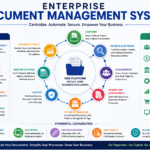
Enterprise Content Management Solutions span several distinct categories – document management, records management, web content management, and digital asset management – each solving a different problem. Understanding these categories helps you evaluate vendors accurately.
Enterprise Content Management Solutions: Choosing the Right Category, Not Just the Right Vendor
Introduction: The Category Matters More Than the Brand
When organizations start evaluating Enterprise Content Management Solutions, they usually build a shortlist of vendor names first. That approach skips a more important question: which category of solution actually fits the business, since vendors within the same category tend to behave similarly, while vendors across categories solve fundamentally different problems.
This article breaks down the real categories of enterprise content management solutions on the market, then follows how an insurance company used that framework to narrow a crowded vendor list down to a decision that actually held up after implementation.
Case Study: An Insurance Company’s Category-First Evaluation
A mid-sized insurance carrier began a content management evaluation after a merger left it running two incompatible legacy systems, one from each merged company. Initial research surfaced more than twenty vendor names, with sales pitches that all sounded similar.
Instead of demoing all twenty, the evaluation team first sorted the market into solution categories and asked which category matched their actual constraints: heavy regulatory retention requirements, claims documents arriving in dozens of formats, and a need to retire two legacy systems without losing historical records.
That filtering exercise eliminated most of the list immediately. General-purpose cloud content platforms lacked the insurance-specific retention templates the carrier needed. Pure digital asset management tools didn’t address claims document workflows at all. The shortlist narrowed to three vendors within a single category, and the eventual selection was completed in under half the time the initial twenty-vendor list would have required.
The Real Categories of Enterprise Content Management Solutions
Cloud-Native Platforms
Built from the ground up for cloud deployment, these solutions typically offer faster implementation and easier scaling, but may rely on third-party add-ons for deep industry-specific compliance features.
Legacy On-Premise Systems
Older platforms, often heavily customized over years of use, frequently offer deep configurability and strong integration with established on-premise infrastructure, at the cost of slower upgrades and higher maintenance overhead.
Industry-Specific Solutions
Built around the workflows of a particular industry, such as insurance claims, healthcare records, or financial services compliance, these solutions come with pre-built templates and retention rules but may be less flexible outside their target industry.
Hybrid and Composable Platforms
Designed to combine multiple specialized tools, such as a separate digital asset manager and a separate records system, through integration rather than a single monolithic platform, trading some simplicity for flexibility.
Low-Code or Departmental Platforms
Lighter-weight solutions aimed at a single department or use case rather than the full enterprise, often faster to deploy but limited in cross-departmental governance capability.
Matching Categories to Organizational Constraints
| Constraint | Best-Fit Category | Why |
| Heavy industry-specific compliance | Industry-specific solution | Pre-built retention and regulatory templates |
| Fast deployment, limited IT resources | Cloud-native platform | Lower implementation overhead |
| Deep legacy infrastructure integration | Legacy on-premise system | Established connectors and customization depth |
| Multiple specialized tools already in use | Hybrid or composable platform | Integrates existing tools rather than replacing all of them |
| Single department, narrow use case | Low-code departmental platform | Avoids enterprise-wide complexity for a focused need |
Questions That Narrow the Category Before the Vendor List
- Does our industry have specific retention or compliance requirements that a general-purpose platform won’t have built in?
- Are we replacing one system or consolidating several that need to talk to each other?
- How much existing on-premise infrastructure do we need this platform to integrate with?
- Is this a single-department need, or does it need to scale across the whole organization?
- How much implementation time can the business actually absorb before disruption becomes a problem?
Where Category-First Evaluations Go Wrong
- Letting a single department’s preferred tool define the category for the whole enterprise.
- Assuming all cloud platforms are interchangeable just because they share a deployment model.
- Ignoring industry-specific solutions because they look smaller or less well-known than general-purpose vendors.
- Choosing a hybrid approach for the sake of flexibility without a clear plan for who maintains the integrations.
How VSDox Fits Into This Landscape
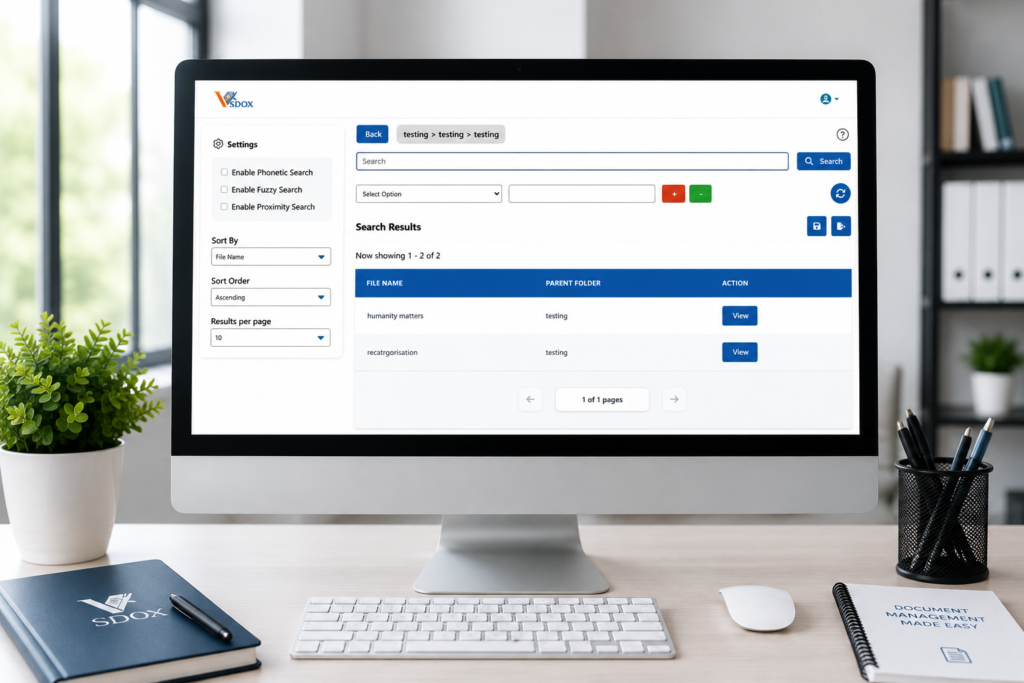
VSDox sits in the cloud-native category, built for organizations that want fast deployment without sacrificing the compliance depth that regulated industries require.
- Cloud-native architecture with rapid implementation timelines
- Configurable retention templates adaptable to industry-specific compliance needs
- Integration support for legacy systems during phased migrations
- Scalable from single-department pilots to full enterprise rollouts
Learn more at vsdox.com/enterprise-content-management-system
Frequently Asked Questions
Is a cloud-native solution always better than a legacy on-premise system?
Not always. Cloud-native solutions typically offer faster deployment and lower maintenance, but organizations with deep on-premise integration needs sometimes find legacy systems harder to replace cleanly in the short term.
How many vendors should realistically be on an evaluation shortlist?
Narrowing to three or four vendors within the right category, rather than a long list across multiple categories, typically produces a faster and more accurate evaluation.
Can a hybrid approach work for a smaller organization?
It can, but smaller organizations often lack the dedicated IT resources to maintain multiple integrated tools, making a single consolidated platform a more practical starting point.
Should industry-specific solutions always be prioritized in regulated industries?
They’re worth strong consideration, since pre-built compliance templates can significantly reduce implementation time, though the right choice still depends on integration needs and organizational scale.
Conclusion
Most failed Enterprise Content Management Solutions evaluations don’t fail because the wrong vendor won. They fail because the evaluation never identified the right category in the first place, leaving every vendor comparison built on a mismatched foundation.
The insurance carrier in this example didn’t get faster at evaluating vendors. It got faster at evaluating vendors because it stopped comparing across categories that were never going to fit its constraints.
What are the main categories of Enterprise Content Management Solutions?
The main categories include document management, records management, web content management, and digital asset management.
How do I know which ECM category my business needs?
It depends on your primary use case – document-heavy operations need document management, while compliance-focused organizations may need records management.
Can one platform cover multiple ECM categories?
Yes, many modern ECM platforms combine multiple categories into a single system to avoid the need for separate tools.