Document Management Software for Businesses: Knowing When You’ve Outgrown the Shared Drive
Introduction: Every Business Outgrows Its Filing System Eventually
No business starts with a Document Management System. Early on, a shared drive and a naming convention everyone promises to follow is enough. The hard part isn’t recognizing that this eventually breaks down. It’s recognizing the exact point where it has.
This article tracks that point across the growth stages of a single e-commerce business, from a 10-person operation to a 100-person company, showing what actually triggered the move to dedicated software at each stage.
Stage 1: 10 Employees — The Shared Drive Still Works
With 10 employees, a single shared drive with department-specific folders was enough. Everyone knew where things were because everyone had helped build the structure.
Warning signs that don’t yet justify new software at this stage:
- Occasional duplicate file names
- A folder structure only the founder fully understands
- No formal approval process, because approvals happen in person
Stage 2: 25 Employees — The First Real Cracks
By 25 employees, the company had hired a dedicated finance person and a small customer service team. The shared drive started showing real strain:
- Vendor contracts existed in three different versions across three people’s folders.
- New hires couldn’t find onboarding documents without asking someone directly.
- Invoice approvals were tracked through email threads that became impossible to follow.
This is the stage where most businesses first consider software, but many wait too long because the shared drive technically still functions.
Stage 3: 50 Employees — The Breaking Point
At 50 employees, the company experienced the incident that forced the decision: a signed vendor contract was overwritten by an outdated draft, and no one could determine which version was actually in effect.
That single incident, combined with a near-miss where a customer’s payment information was found in an improperly shared folder, triggered adoption of dedicated Document Management Software within the same quarter.
Stage 4: 100 Employees — Software Becomes Infrastructure
By 100 employees, the company had been running on dedicated software for over a year. At this scale, the software was no longer a convenience but an operating requirement:
- HR, finance, and operations each had their own access permissions managed centrally.
- Vendor and customer contracts were tracked with full version history and digital signatures.
- New hires were productive within their first week instead of their first month, since document organization was no longer tribal knowledge.
Growth Stage Comparison
| Stage | Employees | Primary Risk | System Needed |
| Startup | ~10 | Minimal, manageable manually | Shared drive sufficient |
| Early growth | ~25 | Version confusion, slow onboarding | Worth evaluating software |
| Breaking point | ~50 | Contract errors, data exposure | Software becomes necessary |
| Scaling | ~100 | Operational dependency on org structure | Software is infrastructure |
Signs You’ve Already Passed the Breaking Point
- You’ve had a near-miss involving the wrong document version being sent or signed.
- New hires regularly ask ‘where do I find…’ questions that nobody can answer consistently.
- Approval processes depend on specific people being available rather than a defined workflow.
- You can’t say with confidence who has access to your most sensitive files.
Choosing Software That Fits Your Actual Stage
Businesses at the 25-50 employee range don’t need enterprise-grade complexity; they need software that solves version control, basic permissions, and approval routing without a lengthy implementation. Look for:
- Fast setup without a multi-month implementation project
- Pricing that scales with headcount rather than requiring an enterprise contract upfront
- Permission controls that are simple to configure without dedicated IT staff
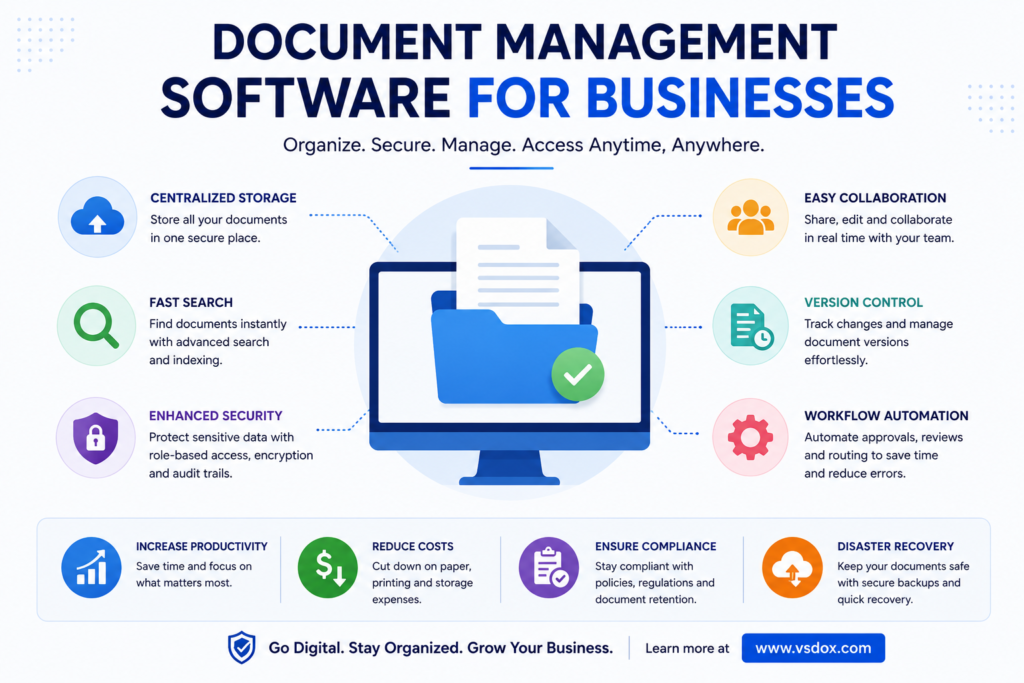
How VSDox Supports Businesses at Every Growth Stage
VSDox is built to scale alongside a growing business rather than requiring a disruptive switch later.
- Quick onboarding without lengthy implementation cycles
- Flexible permission structures that grow with headcount
- Built-in version control and electronic signatures from day one
- Pricing that scales with business size rather than enterprise-only contracts
Learn more at vsdox.com
Frequently Asked Questions
At what company size should a business adopt Document Management Software?
Most businesses benefit from evaluating software once they reach 20 to 30 employees, when version control and onboarding friction typically start to surface.
Can a very small business benefit from Document Management Software early?
Yes, particularly if the business handles contracts, compliance documents, or sensitive customer data from the start, regardless of headcount.
Is implementation disruptive for a growing business?
Modern cloud-based platforms are typically designed for fast setup, especially compared to legacy enterprise systems that require lengthy implementation projects.
What’s the most common trigger for adoption?
A specific incident, such as a version conflict on a signed contract or a permissions mistake, is the most common trigger, more often than gradual planning.
Conclusion
There’s no universal employee count at which a business needs Document Management Software. There’s a moment, usually marked by a specific incident, where the cost of not having it becomes obvious.
Businesses that adopt software proactively, before that incident happens, avoid the disruption that forced this company’s hand at 50 employees.