
| Quick Answer
Intelligent Document Processing Software is a specialized category focused on automatically capturing, classifying, extracting, and validating data from unstructured or semi-structured documents — such as invoices, forms, and receipts — and feeding that structured data into downstream business systems, reducing manual data entry. |
Intelligent Document Processing Software as a Distinct Category
Intelligent document processing is often mentioned alongside general document management software, but it’s worth treating as its own category with a narrower, deeper focus. Where a document management system is primarily concerned with storing, organizing, and controlling access to documents, Intelligent Document Processing Software software is concerned specifically with the pipeline that turns an unstructured document into structured, usable data — and often integrates with a DMS or ERP as a downstream step rather than replacing them.
The Four Stages of an Intelligent Document Processing Software Pipeline
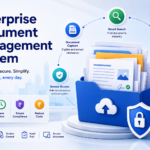
Capture brings the raw document in, whether scanned, emailed, or uploaded. Classification identifies what type of document it is — invoice, purchase order, delivery receipt — often automatically. Extraction pulls specific structured fields from the document: vendor name, invoice number, line-item amounts, due dates. Validation checks the extracted data against business rules or existing records (does this invoice number already exist? does the total match the line items?) and flags exceptions for a human to review rather than pushing bad data downstream automatically.
Where Intelligent Document Processing Software Delivers the Clearest ROI
Intelligent Document Processing Software tends to deliver the most measurable value in high-volume, repetitive document processing — accounts payable invoice processing is the most common example, followed by purchase order matching, receipt processing for expense management, and forms processing for onboarding or claims. The common thread is high document volume with a relatively consistent structure, which is exactly the condition where manual data entry is both expensive and error-prone.
Setting Up an Intelligent Document Processing Software Pipeline: What It Actually Requires
Getting an Intelligent Document Processing Software pipeline running well isn’t purely a vendor configuration task — it also requires some input from the business. The system generally needs a representative sample set of the document type being processed (a batch of real, varied invoices, for instance) to calibrate extraction against, plus clear business rules for the validation stage, such as what tolerance is acceptable between an invoice total and its line-item sum before it’s flagged. Skipping this calibration step and expecting strong accuracy from day one is one of the more common reasons an Intelligent Document Processing Software rollout underperforms initial expectations.
It also helps to assign clear ownership internally for reviewing flagged exceptions during the first few weeks, rather than letting them pile up in a queue nobody is specifically responsible for — the calibration process effectively continues through this early review period, and consistent, prompt feedback speeds up how quickly the system’s accuracy improves for your specific documents.
Measuring Accuracy and Exception Rates
The two numbers that matter most when evaluating Intelligent Document Processing Software software are extraction accuracy (what percentage of fields are captured correctly) and exception rate (what percentage of documents need human review because the system wasn’t confident). Neither number should be taken from vendor marketing at face value — both should be tested against a real batch of your own documents, since accuracy varies significantly depending on document quality and format consistency.
Standalone Intelligent Document Processing Software Tools vs. Intelligent Document Processing Software Built Into a Document Platform
Organizations generally have two structural choices: a dedicated, standalone Intelligent Document Processing Software tool that specializes deeply in extraction and integrates with a separate document management or ERP system downstream, or Intelligent Document Processing Software capability built directly into a broader document management platform. The standalone route can offer deeper extraction capability for very specific, high-complexity document types, but it also means managing an additional integration point and potentially a separate vendor relationship.
Intelligent Document Processing Software built into a document management platform trades some of that specialized depth for a simpler overall architecture — extracted data lands directly in the same system where the document is stored, versioned, and routed for approval, without a separate handoff step. For most mid-sized organizations without highly specialized extraction needs, this integrated approach reduces both cost and ongoing maintenance overhead compared to running separate systems.
The right choice generally comes down to how specialized and high-volume a single document type is. An organization processing tens of thousands of highly variable invoices a month might justify a dedicated, deeply tuned Intelligent Document Processing Software tool. An organization processing a few hundred invoices alongside contracts, HR forms, and general correspondence is usually better served by an integrated platform that handles all of it reasonably well rather than optimizing narrowly for one document type.
Intelligent Document Processing Software and VSDox
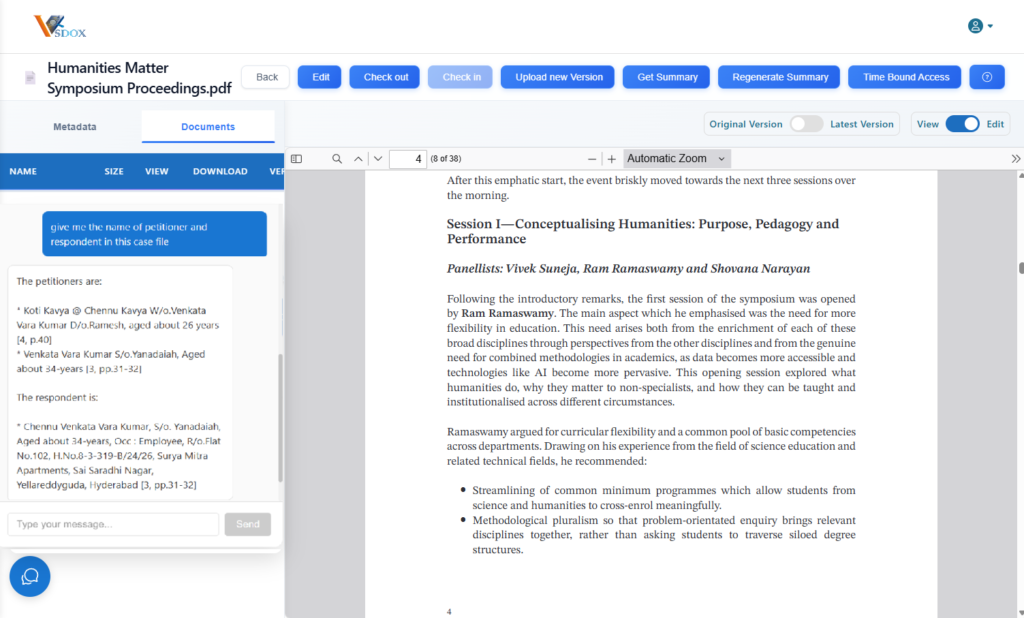
VSDox includes intelligent processing capability specifically for common high-volume document types like invoices and forms, feeding extracted data directly into its document management workflows rather than requiring a separate standalone tool. This differs from dedicated pure-play Intelligent Document Processing Software platforms in that VSDox keeps extraction, storage, workflow, and approval within one system, which reduces the integration work needed to get extracted data into an actual usable business process.
Frequently Asked Questions
What is intelligent document processing (Intelligent Document Processing Software) software used for?
Intelligent Document Processing software automates the capture, classification, extraction, and validation of data from unstructured or semi-structured documents like invoices, forms, and receipts, feeding structured data into downstream systems and reducing manual entry.
What is the difference between Intelligent Document Processing Software and OCR?
OCR (optical character recognition) converts scanned images into text. Intelligent Document Processing Software goes further, using that text to classify the document type, extract specific structured fields, and validate the data against business rules — OCR is typically just one component within an Intelligent Document Processing Software pipeline.
How is the accuracy of Intelligent Document Processing Software typically measured?
Two key metrics are extraction accuracy (percentage of fields captured correctly) and exception rate (percentage of documents flagged for human review due to low confidence). Both should be tested against real documents rather than relying on vendor-reported averages.
What document types benefit most from intelligent document processing?
High-volume, relatively consistent document types benefit most — invoices, purchase orders, receipts, and standardized forms are the most common use cases.
Does intelligent document processing software replace manual review entirely?
No — the realistic model is that most documents are processed automatically while lower-confidence extractions are flagged for human review, rather than full automation with zero oversight.